Asynchronous programming is at the heart of modern JavaScript development. Whether building APIs with Node.js, handling HTTP requests in the browser, or integrating third-party services, developers frequently work with asynchronous operations.
Two of the most important constructs for handling asynchronous logic in JavaScript are Promise and async/await. While both solve the same core problem—managing asynchronous execution—they differ significantly in syntax, readability, error handling, and maintainability.
This blog explores the difference between Promise and async/await in depth, with practical coding examples to clarify when and how to use each approach effectively.
Understanding Asynchronous JavaScript
JavaScript is single-threaded, meaning it executes one operation at a time. However, many operations such as network requests, file system access, and database queries take time to complete. Blocking the main thread during these operations would make applications unresponsive.
To solve this problem, JavaScript uses:
- Callbacks
- Promises
- Async/await
Promises improved upon callback-based patterns by introducing structured asynchronous handling. Async/await further enhanced readability by allowing asynchronous code to appear synchronous.
What Is a Promise?
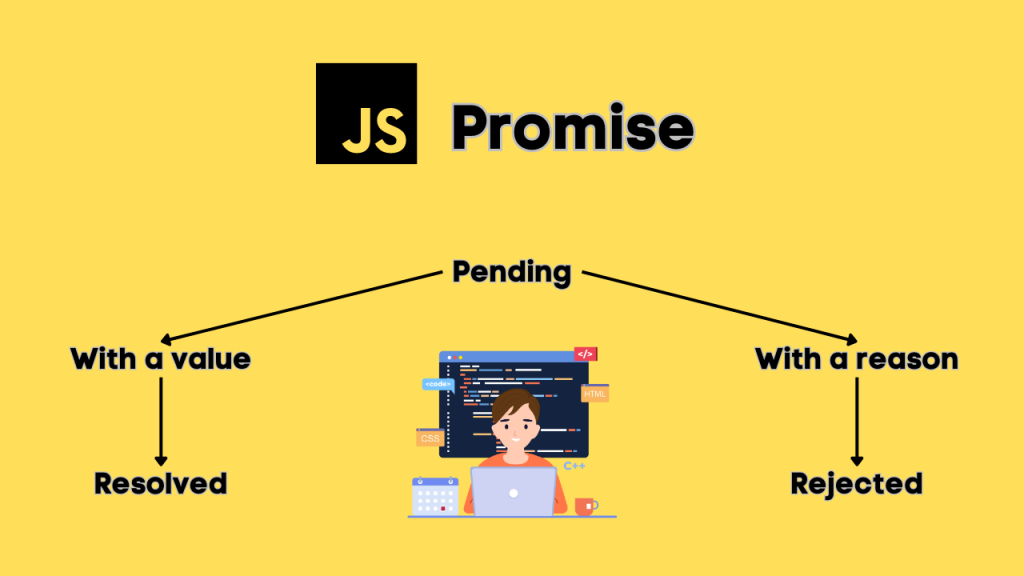
A Promise is an object that represents the eventual completion or failure of an asynchronous operation.
A Promise has three states:
- Pending – Initial state, neither fulfilled nor rejected
- Fulfilled – Operation completed successfully
- Rejected – Operation failed
Creating a Promise
const fetchData = new Promise((resolve, reject) => {
setTimeout(() => {
const success = true;
if (success) {
resolve(“Data fetched successfully”);
} else {
reject(“Error fetching data”);
}
}, 2000);
});
Consuming a Promise
fetchData
.then((result) => {
console.log(result);
})
.catch((error) => {
console.error(error);
});
The .then() method handles success, while .catch() handles errors.
What Is Async/Await?
Async/await is syntactic sugar built on top of Promises. It allows asynchronous code to be written in a more readable and structured manner.
- async makes a function return a Promise.
- await pauses execution until the Promise resolves.
Example Using Async/Await
function fetchData() {
return new Promise((resolve, reject) => {
setTimeout(() => {
resolve(“Data fetched successfully”);
}, 2000);
});
}
async function getData() {
try {
const result = await fetchData();
console.log(result);
} catch (error) {
console.error(error);
}
}
getData();
The logic is identical to the Promise example, but the syntax is cleaner and easier to follow.
Core Differences Between Promise and Async/Await
1. Syntax and Readability
Promises use chaining with .then() and .catch().
fetchUser()
.then((user) => {
return fetchOrders(user.id);
})
.then((orders) => {
return fetchPaymentDetails(orders);
})
.catch((error) => {
console.error(error);
});
Async/await removes nested chaining and makes the flow linear.
async function processUser() {
try {
const user = await fetchUser();
const orders = await fetchOrders(user.id);
const payment = await fetchPaymentDetails(orders);
} catch (error) {
console.error(error);
}
}
Difference: Async/await is more readable, especially when multiple dependent operations are involved.
2. Error Handling
With Promises, errors are handled using .catch().
fetchData()
.then((data) => {
console.log(data);
})
.catch((error) => {
console.error(“Error:”, error);
});
With async/await, errors are handled using try…catch.
async function loadData() {
try {
const data = await fetchData();
console.log(data);
} catch (error) {
console.error(“Error:”, error);
}
}
Difference: Async/await integrates better with traditional try-catch error handling, making debugging simpler.
3. Chaining vs Sequential Flow
Promises rely heavily on chaining.
doTask1()
.then(() => doTask2())
.then(() => doTask3())
.then(() => console.log(“All tasks complete”));
Async/await executes tasks sequentially in a natural flow.
async function runTasks() {
await doTask1();
await doTask2();
await doTask3();
console.log(“All tasks complete”);
}
Async/await resembles synchronous programming, which reduces cognitive load.
4. Parallel Execution
Promises make parallel execution explicit.
Promise.all([fetchUser(), fetchOrders(), fetchProducts()])
.then((results) => {
console.log(results);
});
With async/await, parallel execution requires storing promises before awaiting them.
async function fetchAll() {
const userPromise = fetchUser();
const ordersPromise = fetchOrders();
const productsPromise = fetchProducts();
const results = await Promise.all([
userPromise,
ordersPromise,
productsPromise
]);
console.log(results);
}
Awaiting each function one by one makes them execute sequentially, which can reduce performance. Developers must intentionally use Promise.all() when parallelism is required.
5. Return Behavior
An async function always returns a Promise.
async function example() {
return 42;
}
example().then((value) => console.log(value)); // Outputs 42
Even though 42 is returned directly, it is automatically wrapped inside a Promise.
This behavior makes async functions interoperable with Promise-based systems.
You may also like:
Talking with an External API using Promises in JavaScript
JavaScript concepts you should know before learning ReactJS
What is ES6 & Its Features You Should Know
Real-World Example: Fetching API Data
Using Promises
fetch(“https://jsonplaceholder.typicode.com/posts”)
.then((response) => response.json())
.then((data) => {
console.log(“Posts:”, data);
})
.catch((error) => {
console.error(“Failed:”, error);
});
Using Async/Await
async function fetchPosts() {
try {
const response = await fetch(“https://jsonplaceholder.typicode.com/posts”);
const data = await response.json();
console.log(“Posts:”, data);
} catch (error) {
console.error(“Failed:”, error);
}
}
fetchPosts();
The async/await version reads like synchronous logic, making it easier to maintain.
When Should You Use Promises?
Use Promises when:
- Writing utility functions that return asynchronous results
- Handling parallel operations with Promise.all
- Working in environments where async/await is not supported
- Building libraries that expose Promise-based APIs
Promises are the foundation of async/await. Even modern frameworks internally rely on Promise objects.
When Should You Use Async/Await?
Use async/await when:
- Writing business logic
- Managing multiple dependent asynchronous operations
- Improving code readability
- Implementing complex error handling
- Reducing callback nesting
Async/await is particularly effective in backend development with Node.js and in frontend frameworks such as React and Angular.
Performance Considerations
There is no inherent performance difference between Promises and async/await because async/await is built on top of Promises.
However:
- Sequential awaits can slow execution if parallel execution is intended.
- Poor Promise chaining can lead to nested and unreadable code.
Correct usage matters more than the syntax choice.
Common Mistakes
1. Forgetting Await
async function example() {
const data = fetchData(); // Missing await
console.log(data); // Logs a Promise, not the resolved value
}
2. Not Handling Errors
Unhandled Promise rejections can crash Node.js applications.
fetchData(); // No .catch() attached
Always handle errors either with .catch() or try…catch.
Converting Promise Code to Async/Await
Original Promise version:
function getUserData() {
return fetchUser()
.then((user) => fetchProfile(user.id))
.then((profile) => {
console.log(profile);
})
.catch((error) => {
console.error(error);
});
}
Async/await version:
async function getUserData() {
try {
const user = await fetchUser();
const profile = await fetchProfile(user.id);
console.log(profile);
} catch (error) {
console.error(error);
}
}
The async/await version is easier to read and maintain.
Summary of Differences
Promise:
- Uses .then() and .catch()
- Chaining-based syntax
- Good for parallel operations
- Foundation of asynchronous JavaScript
Async/Await:
- Uses async and await
- Cleaner, synchronous-like syntax
- Easier error handling with try-catch
- Built on top of Promises
Final Thoughts
Promises revolutionized asynchronous programming in JavaScript by eliminating callback nesting and providing structured control over asynchronous flows. Async/await further simplified asynchronous development by introducing readable, maintainable syntax that closely resembles synchronous code.
Understanding both approaches is essential. Async/await improves developer experience, but Promises remain fundamental to the JavaScript ecosystem. Mastery of both concepts enables developers to build scalable applications, write efficient asynchronous logic, and handle real-world data operations with confidence.
In modern JavaScript development, async/await is generally preferred for business logic, while Promises continue to power the underlying mechanics of asynchronous execution.