Achieving comprehensive frontend test coverage has long been a challenge for developers. Unlike backend code, where unit tests can be applied to individual functions, frontend user interfaces are dynamic, stateful, and influenced by various rendering contexts such as browsers, devices, and user preferences. This complexity makes tracking frontend coverage difficult, as traditional tools struggle to keep pace with the multitude of UI states in modern applications.
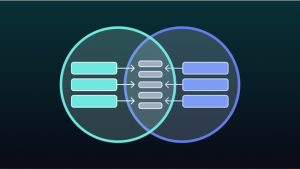
Storybook 9 addresses this challenge by providing detailed insights into frontend coverage. It measures how much of the component code is exercised by stories, offering developers granular visibility into areas that require testing. This article explores how to integrate Storybook coverage into the development workflow effectively.
The Importance of Frontend Coverage
Frontend testing aims to validate the user interface as experienced by end users. A critical first step is ensuring that every relevant component state is represented in tests. Coverage analysis reveals which states are missing by scanning component code to identify branches and conditions exercised by tests and those that are not. Storybook adapts this analysis to work directly with *.stories files, making coverage tracking more intuitive.
Stories Provide Expansive Coverage Automatically
Writing stories naturally captures key UI states. In Storybook 9, each story is automatically testable across three key dimensions:
- Interaction: Simulates real user events using Vitest.
- Accessibility: Audits for WCAG compliance with axe-core.
- Visual: Detects pixel-level regressions through Chromatic.
This integration creates a tight feedback loop, enhancing test coverage and quality.
The Frontend Coverage Workflow
Storybook 9 introduces a streamlined coverage workflow that simplifies testing, measuring, and improving component coverage directly within the development environment.
- Run Tests: Execute all tests with a single command or click. Storybook runs interaction tests (Vitest), accessibility audits (axe), and visual tests (Chromatic) against each story. Tests can be run inside Storybook using the test widget or headlessly in CI environments.
- Identify Gaps: Coverage reports highlight components lacking stories, lines of code not exercised, and untested branches or prop combinations. Powered by Vitest and compatible with tools like Istanbul, these reports integrate frontend metrics with backend coverage.
- Fill Coverage Gaps: Storybook offers tools to increase coverage quickly. For components without stories, developers can generate new story files with default arguments or write them manually. For partially covered components, the Controls panel allows tweaking props and creating new stories to capture additional states.
- Re-run Tests: After adding stories, re-run tests to update coverage reports, confirming improved coverage.
Positioning Storybook in Frontend Testing Strategies
| Test Type | Strengths | Limitations |
|---|---|---|
| End-to-end | Validates critical user flows across systems | Slow, flaky, limited coverage |
| Storybook Tests | Provides broad UI state coverage, fast and reliable | Does not test full app behavior |
Both test types complement each other. End-to-end tests verify essential user flows but are costly to maintain. Storybook tests cover a wide range of component states efficiently, without flakiness or heavy maintenance.
Leveraging AI to Accelerate Coverage
AI models powering tools like Cursor, ChatGPT, Claude, and Windsurf have been trained on thousands of stories, enabling them to generate stories directly from component code. Storybook’s coverage tools help identify gaps, while AI assists in creating initial stories for untested components, providing a strong foundation for further refinement.
Getting Started with Storybook 9
Storybook 9 offers a focused workflow for writing, testing, and tracking UI coverage, ensuring even edge cases behave as expected. It integrates seamlessly with existing coverage tools, providing full team visibility.
To start a new project with Storybook 9, run:
textnpm create storybook@latest
For existing projects, upgrade to Storybook 9 using the automated migration wizard:
textnpx storybook@latest upgrade
Read more such articles from our Newsletter here.